Bringing SkillsWave's upskilling story to life
Bringing SkillsWave's upskilling story to life
Designing an onboarding experience that opened doors for SkillsWave to compete in a skills-dominated market.
Designing an onboarding experience that opened doors for SkillsWave to compete in a skills-dominated market.
My Role: Senior Product Designer (lead on Guide)
1 Designer, 1 Design Manager, 6 Developers, 1 Product Manager
Jan. 2024-Sept. 2024
My Role: Senior Product Designer (lead on SkillsWave Guide)
1 Designer, 1 Design Manager, 6 Developers, 1 Product Manager
Jan. 2024-Sept. 2024
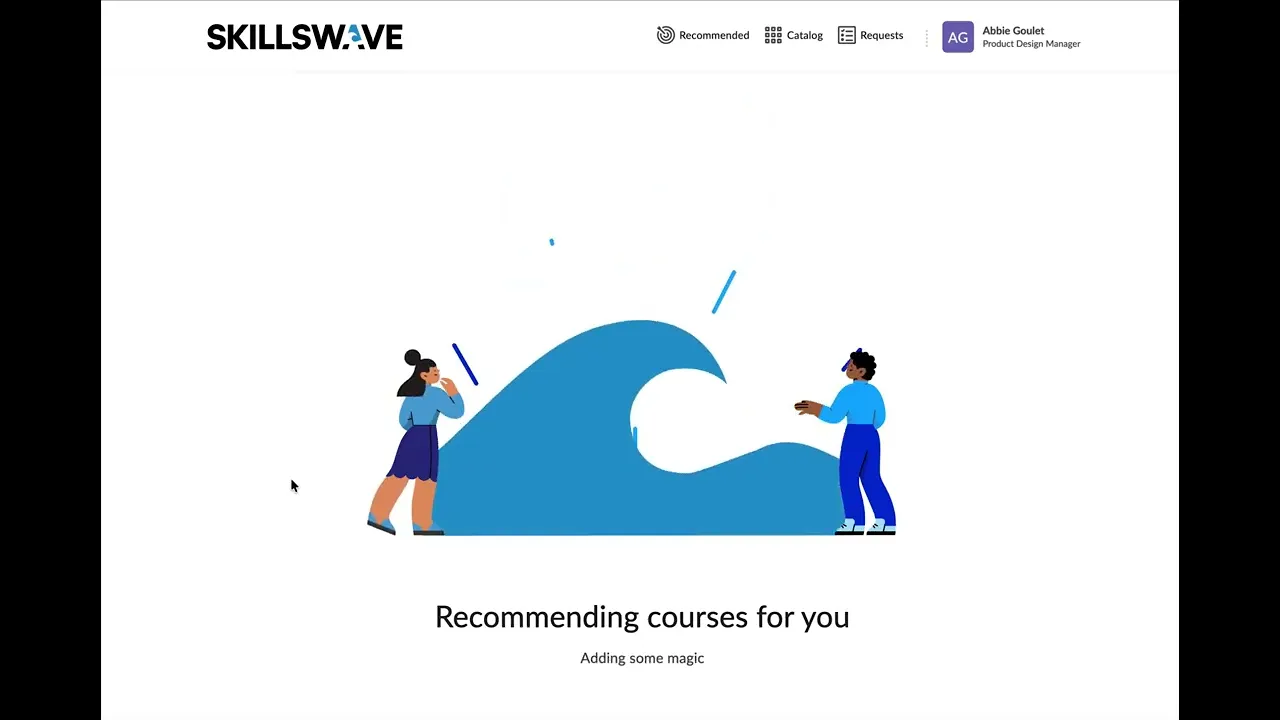
A video going through SkillsWave Guide. I designed the full onboarding workflow and my colleague designed the recommendations page.
A video going through SkillsWave Guide. I designed the full onboarding workflow and my colleague designed the recommendations page.
What is SkillsWave?
What is SkillsWave?

SkillsWave helps companies manage their professional development programs. Employees can discover accredited, corporate-focused learning, while employers can manage approvals, track completion, monitor investment, and understand outcomes.
SkillsWave Guide is an onboarding workflow within SkillsWave that helps employees identify the skills they want to build and receive tailored learning recommendations based on those interests.
Note: SkillsWave Guide started before SkillsWave spun out into its own company. We started the project as D2L Wave (within the company D2L), and released the product when we were a new company called SkillsWave.
SkillsWave helps companies manage their professional development programs. Employees can discover accredited, corporate-focused learning, while employers can manage approvals, track completion, monitor investment, and understand outcomes.
SkillsWave Guide is an onboarding workflow within SkillsWave that helps employees identify the skills they want to build and receive tailored learning recommendations based on those interests.
Note: SkillsWave Guide started before SkillsWave spun out into its own company. We started the project as D2L Wave (within the company D2L), and released the product when we were a new company called SkillsWave.
SkillsWave helps companies manage their professional development programs. Employees can discover accredited, corporate-focused learning, while employers can manage approvals, track completion, monitor investment, and understand outcomes.
SkillsWave Guide is an onboarding workflow within SkillsWave that helps employees identify the skills they want to build and receive tailored learning recommendations based on those interests.
Note: SkillsWave Guide started before SkillsWave spun out into its own company. We started the project as D2L Wave (within the company D2L), and released the product when we were a new company called SkillsWave.
SkillsWave Guide: Project Summary
SkillsWave Guide: Project Summary
I designed SkillsWave Guide, an onboarding workflow that helped SkillsWave move from a broad course catalog toward a more personalized, skills-driven learning experience. The flow used a learner’s role, skill interests, and career goals to generate more relevant course and program recommendations. My biggest design challenge was translating Lightcast’s complex skills taxonomy into simple, low-effort choices that made sense to employees. After launch, Guide became a key part of SkillsWave’s upskilling story and surfaced future opportunities to improve recommendations, skill tagging, and catalog discovery.
I designed SkillsWave Guide, an onboarding workflow that helped SkillsWave move from a broad course catalog toward a more personalized, skills-driven learning experience. The flow used a learner’s role, skill interests, and career goals to generate more relevant course and program recommendations. My biggest design challenge was translating Lightcast’s complex skills taxonomy into simple, low-effort choices that made sense to employees. After launch, Guide became a key part of SkillsWave’s upskilling story and surfaced future opportunities to improve recommendations, skill tagging, and catalog discovery.
My Role & Process
My Role & Process
I designed the full onboarding workflow. The other designer focused on the recommendations page, and the design manager managed the team and provided feedback during design and product collaboration sessions.
I designed the full onboarding workflow. The other designer focused on the recommendations page, and the design manager managed the team and provided feedback during design and product collaboration sessions.
Align
Explore
Make
Monitor
My process for SkillsWave Guide followed Align, Explore, Make, and Monitor. I used Align to turn a broad product direction into a focused problem statement and onboarding opportunity, Explore to understand user mental models, competitor patterns, and Lightcast’s skills taxonomy, Make to design and refine a low-effort personalized onboarding flow, and Monitor to define how we would measure launch performance and identify future iterations.
I used Align, Explore, Make, and Monitor to move from a broad product direction into a launched onboarding experience. For SkillsWave Guide, the challenge wasn’t just designing a flow. It was translating a complex skills taxonomy into a few simple choices that felt personal, low-effort, and useful for employees.
My process for SkillsWave Guide followed Align, Explore, Make, and Monitor. I used Align to turn a broad product direction into a focused problem statement and onboarding opportunity, Explore to understand user mental models, competitor patterns, and Lightcast’s skills taxonomy, Make to design and refine a low-effort personalized onboarding flow, and Monitor to define how we would measure launch performance and identify future iterations.
Align: "Our catalog is big, and we need to do something more with skills"
Align: "Our catalog is big, and we need to do something more with skills"
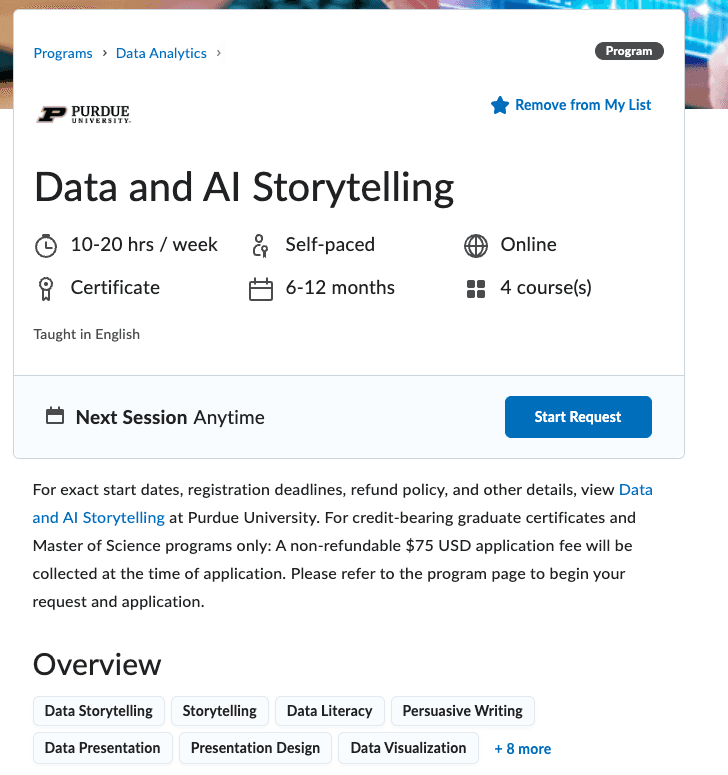
Skill tags were our only representation of skills in product before SkillsWave Guide
Skill tags were our only representation of skills in product before SkillsWave Guide.
As SkillsWave was growing, two problems became clear:
Our growing catalog was getting harder to search: Our catalog scale was making discovery more difficult. Users needed to know what to search for before they could find relevant content.
We needed a stronger "skills" story: The market was moving toward more skills-focused learning experiences. To differentiate, SkillsWave needed to connect learning discovery to skills and career growth.
Our product had no "introduction": There was no onboarding for employees who had been added to the platform, we relied solely on client success and our clients to introduce SkillsWave to their employees.
As SkillsWave was growing, two problems became clear:
Our growing catalog was getting harder to search: Our catalog scale was making discovery more difficult. Users needed to know what to search for before they could find relevant content.
We needed a stronger "skills" story: The market was moving toward more skills-focused learning experiences. To differentiate, SkillsWave needed to connect learning discovery to skills and career growth.
Our product had no "introduction": There was no onboarding for employees who had been added to the platform, we relied solely on client success and our clients to introduce SkillsWave to their employees.
As SkillsWave was growing, two problems became clear:
Our growing catalog was getting harder to search: Our catalog scale was making discovery more difficult. Users needed to know what to search for before they could find relevant content.
We needed a stronger "skills" story: The market was moving toward more skills-focused learning experiences. To differentiate, SkillsWave needed to connect learning discovery to skills and career growth.
Our product had no "introduction": There was no onboarding for employees who had been added to the platform, we relied solely on client success and our clients to introduce SkillsWave to their employees.
The Result: We decided to create a skills-focused onboarding workflow where we could collect employees' skill and career interests early and present them with personalized learning recommendations. By capturing this information right at the start (or on the next login), we could start users off with something personalized to them right away.
The Result: We decided to create a skills-focused onboarding workflow where we could collect employee's skill and career interests early and present them with personalized learning recommendations. By capturing this information right at the start (or on the next login), we could start users off with something personalized to them right away.
Explore: Translating high-level direction into a concrete product workflow
Explore: Translating high-level direction into a concrete product workflow
After aligning on a skills-focused onboarding workflow, I needed to understand how skills should be represented in the experience. I explored how users think about skills, how those mental models could shape the flow, and whether Lightcast’s skills database (a tool development was looking at in parallel) could support the level of personalization we wanted.
After aligning on a skills-focused onboarding workflow, I needed to understand how skills should be represented in the experience. I explored how users think about skills, how those mental models could shape the flow, and whether Lightcast’s skills database (a tool development was looking at in parallel) could support the level of personalization we wanted.
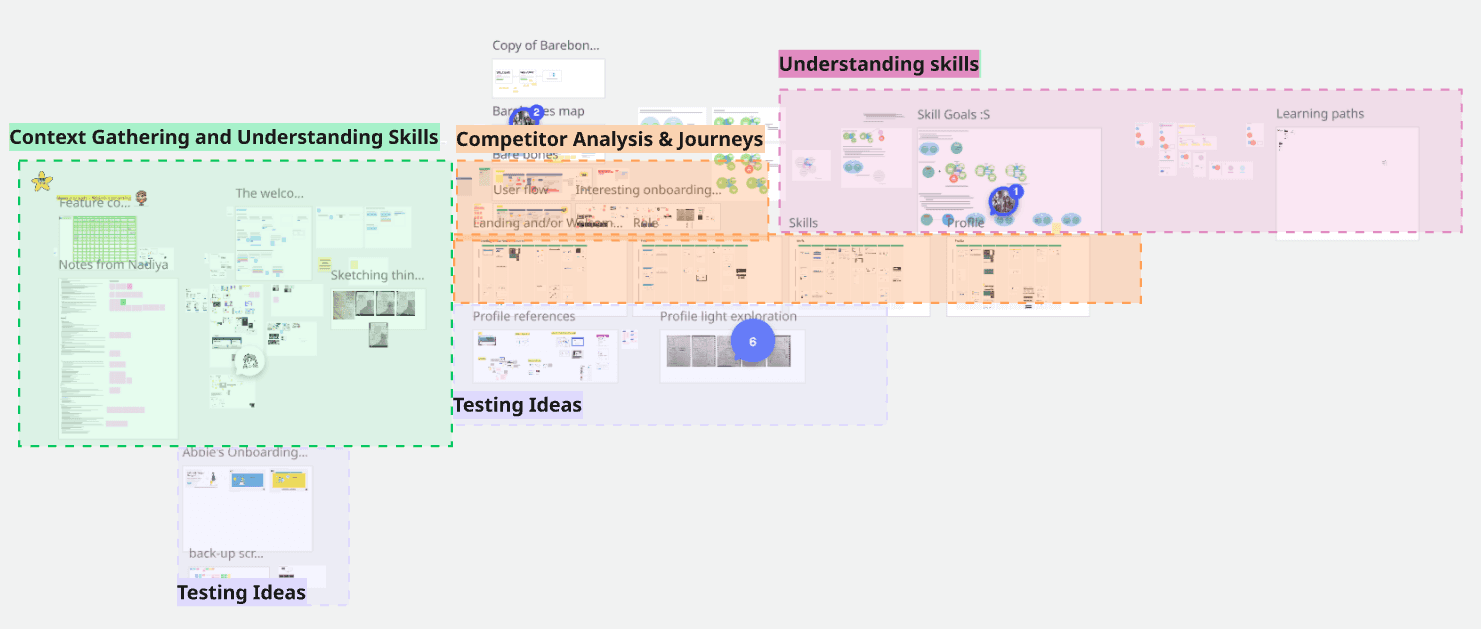
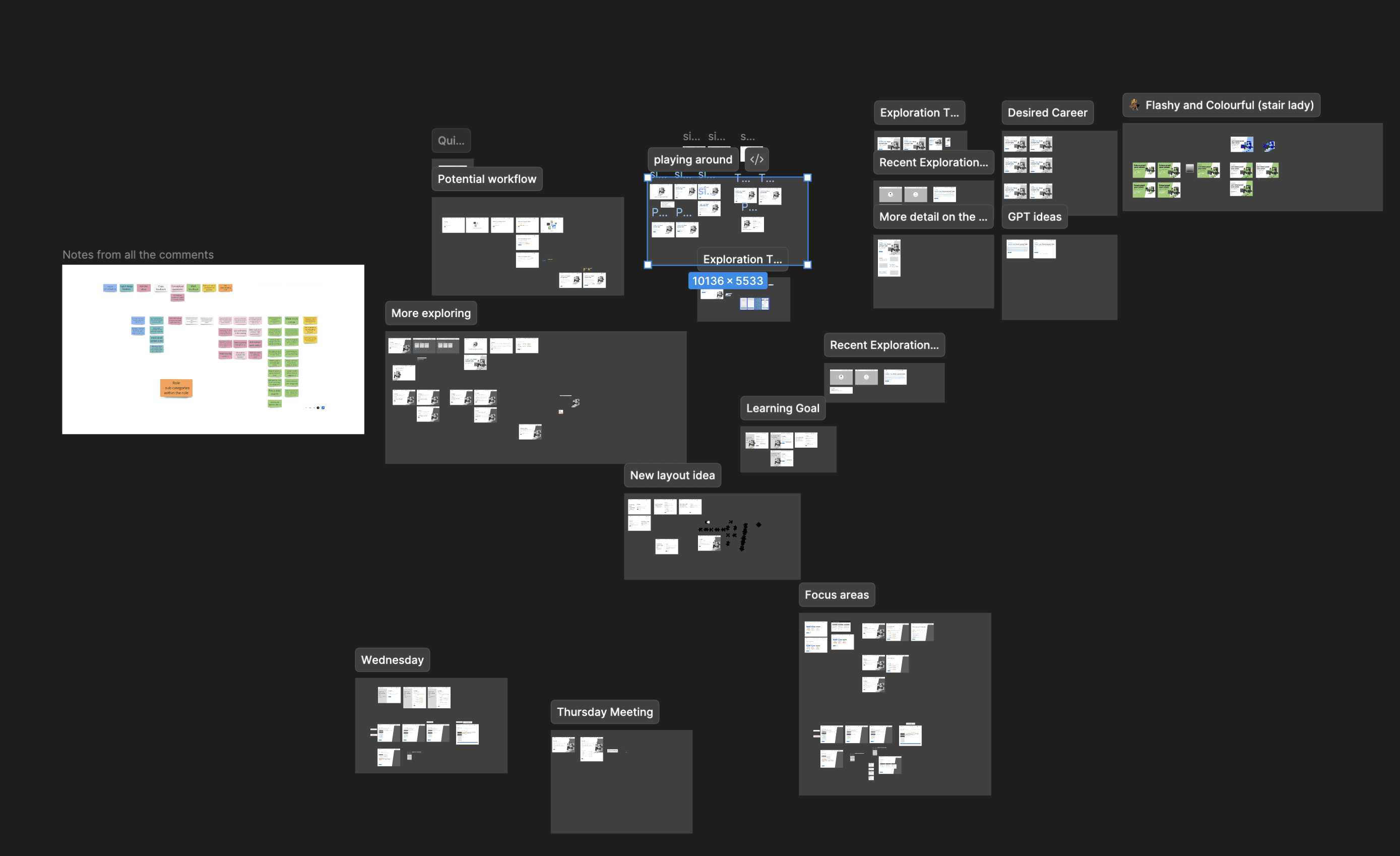
My Miro board of research, including context gathering and understanding, competitor analysis and user journeys, understanding Lightcast and skills, and testing ideas. Specific details cannot be shared due to confidentiality.
Skills were newer to the market, but they weren’t new to users. I wanted to understand how people already thought about skills, then shape the product around that mental model. To learn about this, I created a knowledge board that brought together past D2L research, competitor flows, market examples, draft user journeys, and early explorations of how skills and careers might relate to each other. A few key insights emerged:
Users see skills as relatively flat: at most there are "groups of skills that are similar", but they don't go levels deep like learning outcomes or an org chart.
Many skills workflows were manual "search and select": Competitors put the responsibility on the user to pick the skills that match them from a large library of skills. This was intuitive, but took some work to fill out.
Skills to get to a career goal and skills a user is interested in learning are viewed differently: Career goals are a bigger commitment and usually not in the same conversation as just "learning a new skill or set of skills".
Skills were newer to the market, but they weren’t new to users. I wanted to understand how people already thought about skills, then shape the product around that mental model. To learn about this, I created a knowledge board that brought together past D2L research, competitor flows, market examples, draft user journeys, and early explorations of how skills and careers might relate to each other. A few key insights emerged:
Users see skills as relatively flat: at most there are "groups of skills that are similar", but they don't go levels deep like learning outcomes or an org chart.
Many skills workflows were manual "search and select": Competitors put the responsibility on the user to pick the skills that match them from a large library of skills. This was intuitive, but took some work to fill out.
Skills to get to a career goal and skills a user is interested in learning are viewed differently: Career goals are a bigger commitment and usually not in the same conversation as just "learning a new skill or set of skills".
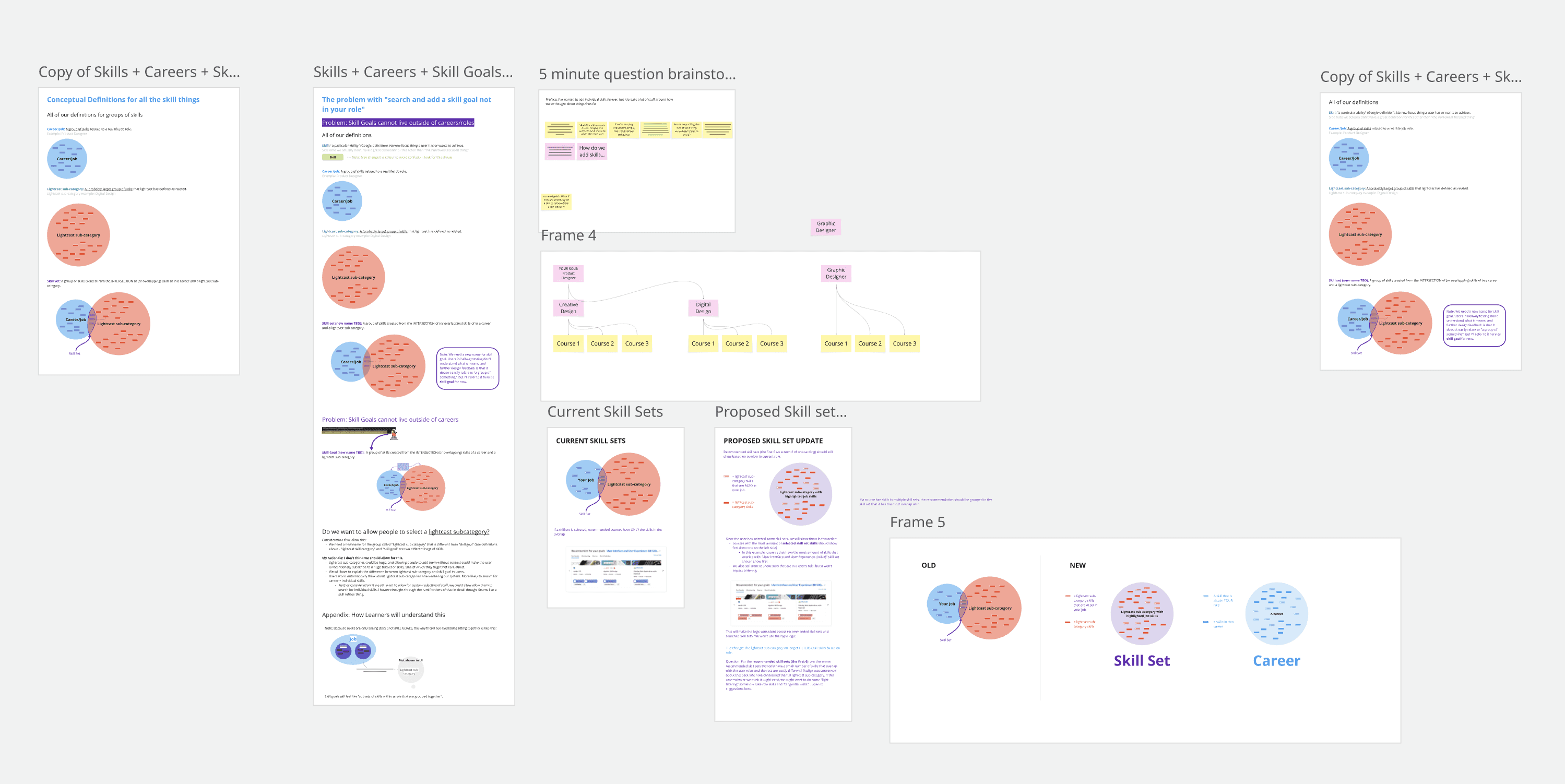
My Miro board specifically trying to understand Lightcast and how they represent skills, Lightcast subcategories, and careers. I used Venn Diagrams to explain whenever groups of skills overlapped.
We needed to be intentional about how we represent Lightcast skills: Lightcast's skills library was robust and a great source of data for current role skills and skills that are most popular in market, but there was a LOT of data. Factoring in our other insights, we needed to find a way to surface the most relevant data for our users and make it easy to digest.
We needed to be intentional about how we represent Lightcast skills: Lightcast's skills library was robust and a great source of data for current role skills and skills that are most popular in market, but there was a LOT of data. Factoring in our other insights, we needed to find a way to surface the most relevant data for our users and make it easy to digest.
Explorations based on research
Two key findings that came up from my research were:
Two key findings that came up from my research were:
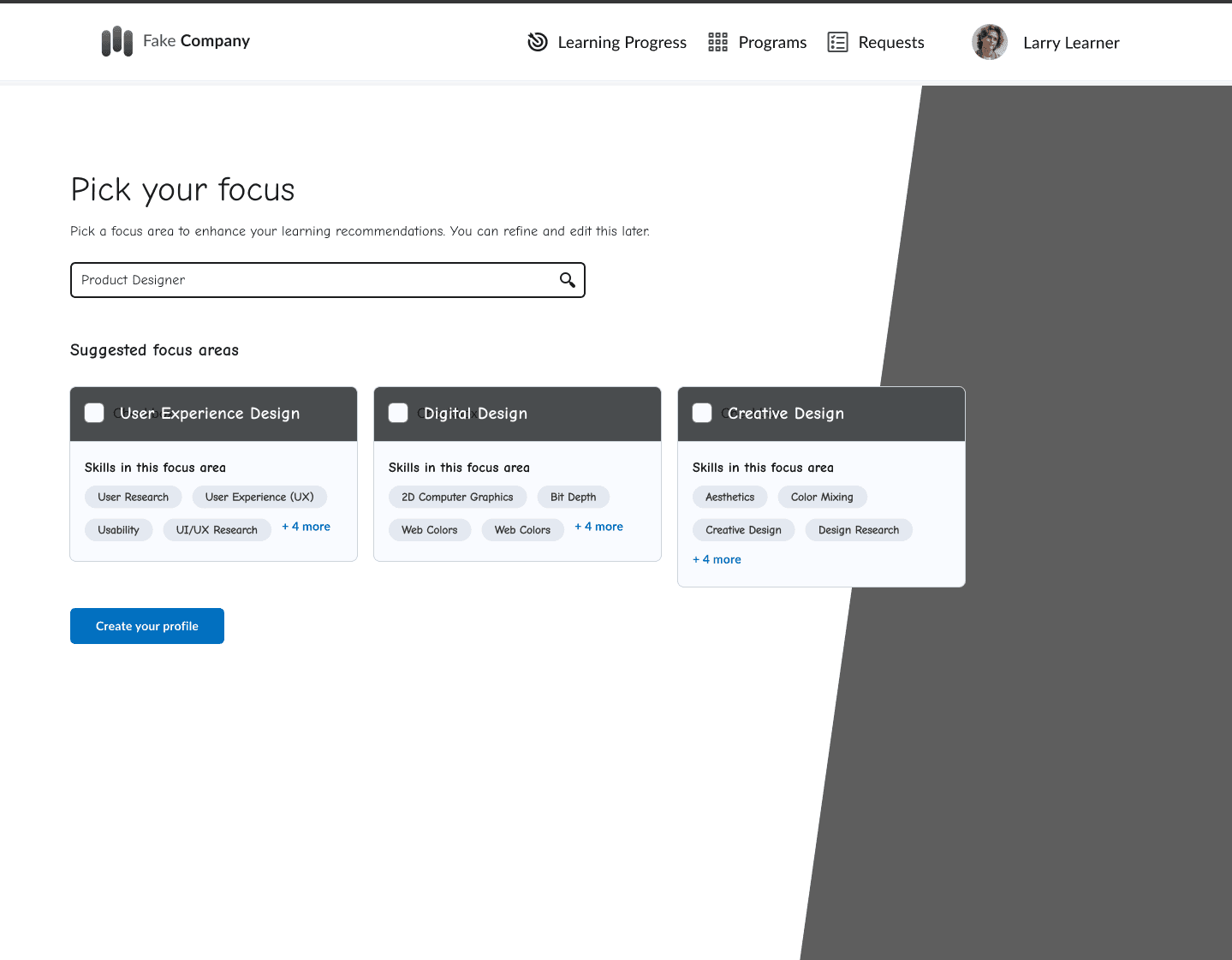
An early exploration of of incorporating "flat skills" and less manual searching into the onboarding experience.
The key points from the research I took into the explorations were:
Finding: Language was very important for admins. For example, calling the section where a user creates conditions “Rule conditions” caused confusion. People didn't know what to expect in this section. When we called it conditions halfway through the study, it resonated better.
Design Change: Language was very carefully chosen. Rule conditions, courses, and all copy explaining functionality was carefully crafted based on the study.
Skills needed to be flat (one level of grouping at most) and easy to scan.
Selecting skills should be easy. Relevant skills should show right away and search should be a second option.
Career goals needed to be treated as a distinct concept from "skills a user is interested in learning"
The workflow needed to balance what made sense to users with the structure of the underlying Lightcast data.
Finding: People considered skills as relatively flat (D2L Skills Research), and most competitor experiences involved a lot of manual "search and select" of skills which took a long time to get through.
Design implications: Avoided complicated skill hierarchy diagrams, kept skills grouped on one flat level with simple groupings, and surfaced recommended groups of skills right away. In one click, an employee could select a large group of skills under a certain category, and the most relevant skills to role show up right away as options to select without searching.
The key points from the research I took into the explorations were:
Finding: Language was very important for admins. For example, calling the section where a user creates conditions “Rule conditions” caused confusion. People didn't know what to expect in this section. When we called it conditions halfway through the study, it resonated better.
Design Change: Language was very carefully chosen. Rule conditions, courses, and all copy explaining functionality was carefully crafted based on the study.
Skills needed to be flat (one level of grouping at most) and easy to scan.
Selecting skills should be easy. Relevant skills should show right away and search should be a second option.
Career goals needed to be treated as a distinct concept from "skills a user is interested in learning"
The workflow needed to balance what made sense to users with the structure of the underlying Lightcast data.
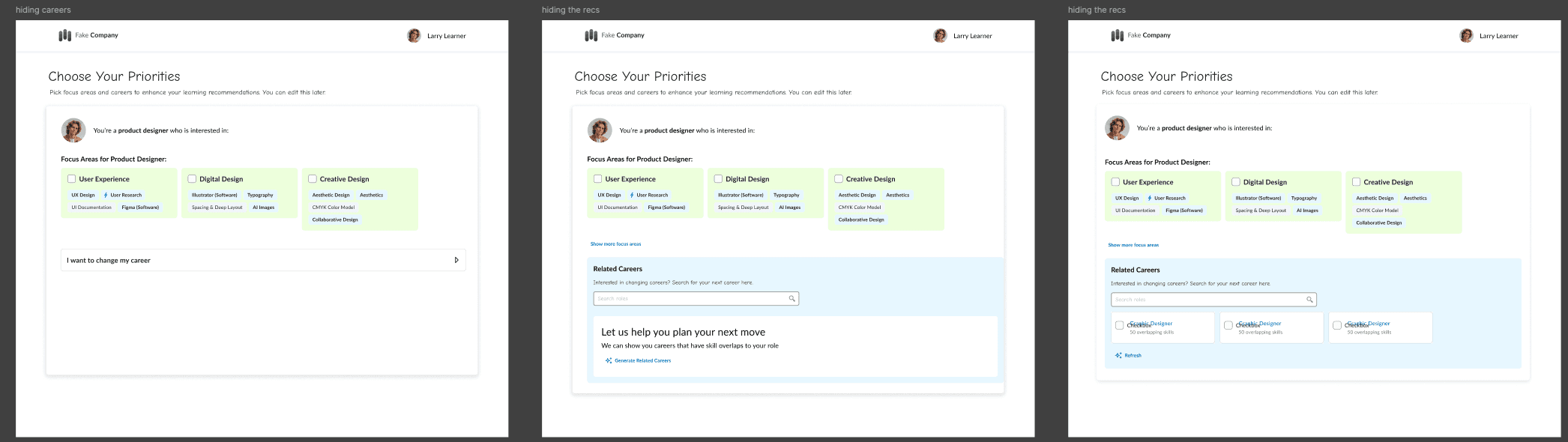
The main explorations of groups of skills vs. careers. I explored all kinds of ways to keep them together, and then I realized through research and hallway testing "skills I'm interested in" and "careers" are distinct enough concepts that they needed to be separated.
Finding: Career goals needed to be treated as a distinct concept from "skills a user is interested in learning" (secondary research and internal usability testing initial concepts)
Design implications: I initially tried combining skill interests and career goals to keep onboarding short, but the concepts became confusing and the layouts felt too busy. After internal hallway testing confirmed the same confusion, I separated career goals into their own step.
The key points from the research I took into the explorations were:
Finding: Language was very important for admins. For example, calling the section where a user creates conditions “Rule conditions” caused confusion. People didn't know what to expect in this section. When we called it conditions halfway through the study, it resonated better.
Design Change: Language was very carefully chosen. Rule conditions, courses, and all copy explaining functionality was carefully crafted based on the study.
Skills needed to be flat (one level of grouping at most) and easy to scan.
Selecting skills should be easy. Relevant skills should show right away and search should be a second option.
Career goals needed to be treated as a distinct concept from "skills a user is interested in learning"
The workflow needed to balance what made sense to users with the structure of the underlying Lightcast data.
The Result: This stage was highly iterative. Research helped clarify the product direction, and early explorations revealed where we needed to learn more. After several rounds of mapping, competitive review, and flow exploration, I narrowed the work to a few promising directions that were ready to refine in higher fidelity.
The Result: This stage was highly iterative. Research helped clarify the product direction, and early explorations revealed where we needed to learn more. After several rounds of mapping, competitive review, and flow exploration, I narrowed the work to a few promising directions that were ready to refine in higher fidelity.
Make: Narrowing in on a simple, smart onboarding flow
Make: Narrowing in on a simple, smart onboarding flow
With the strongest exploration directions in place, I moved into refining the onboarding flow: turning skills, career goals, and recommendation signals into an experience that felt simple, smart, and low-effort.
With the strongest exploration directions in place, I moved into refining the onboarding flow: turning skills, career goals, and recommendation signals into an experience that felt simple, smart, and low-effort.
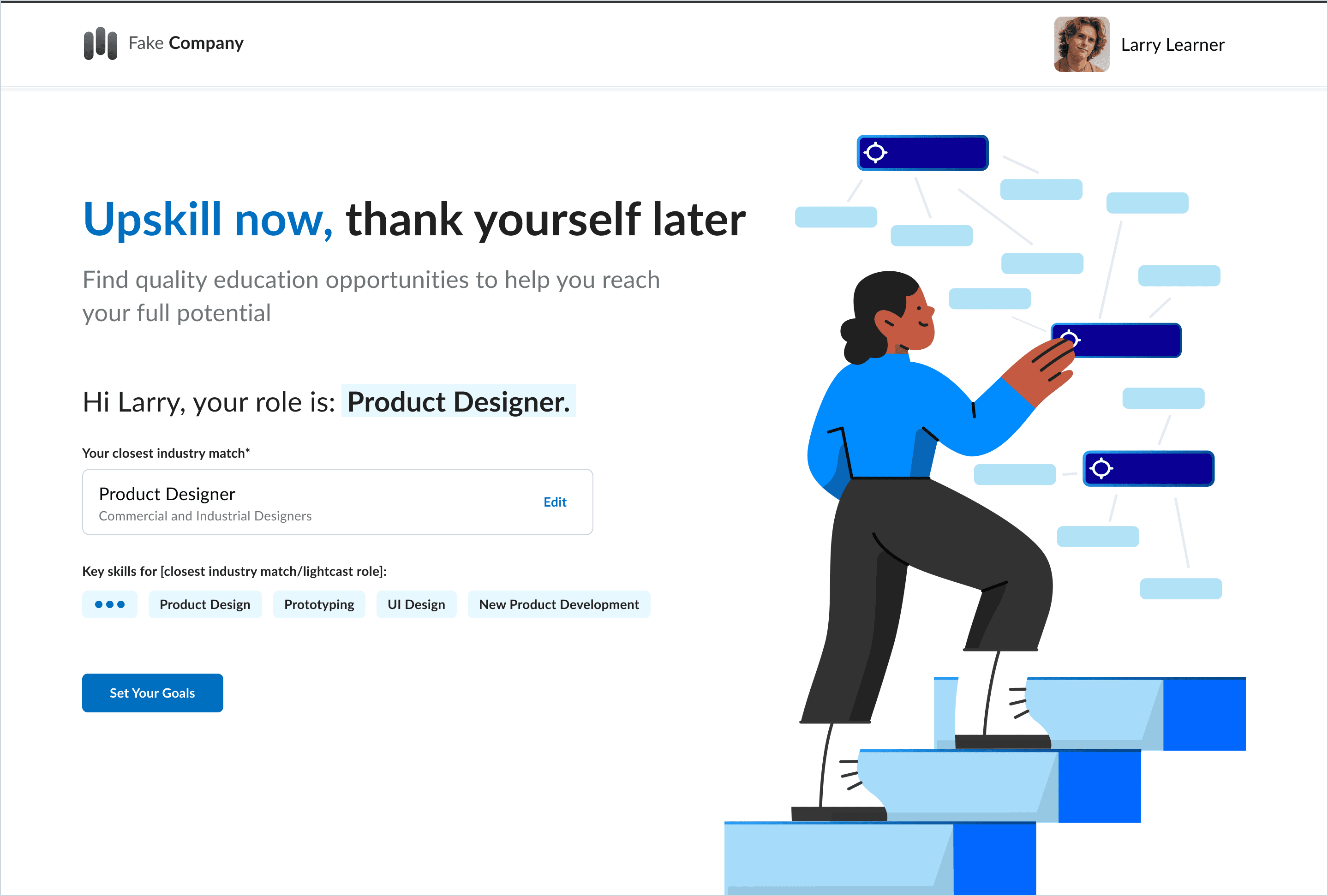
The final design for first step in SkillsWave Guide.
The final design for first step in SkillsWave Guide.
The first page welcomes users by name and matches their role to a Lightcast role right away. I skipped the typical "give us your personal information step" to turn the first page from “fill in these form fields” into more of a confirmation step.
The first page welcomes users by name and matches their role to a Lightcast role right away. I skipped the typical "give us your personal information step" to turn the first page from “fill in these form fields” into more of a confirmation step.
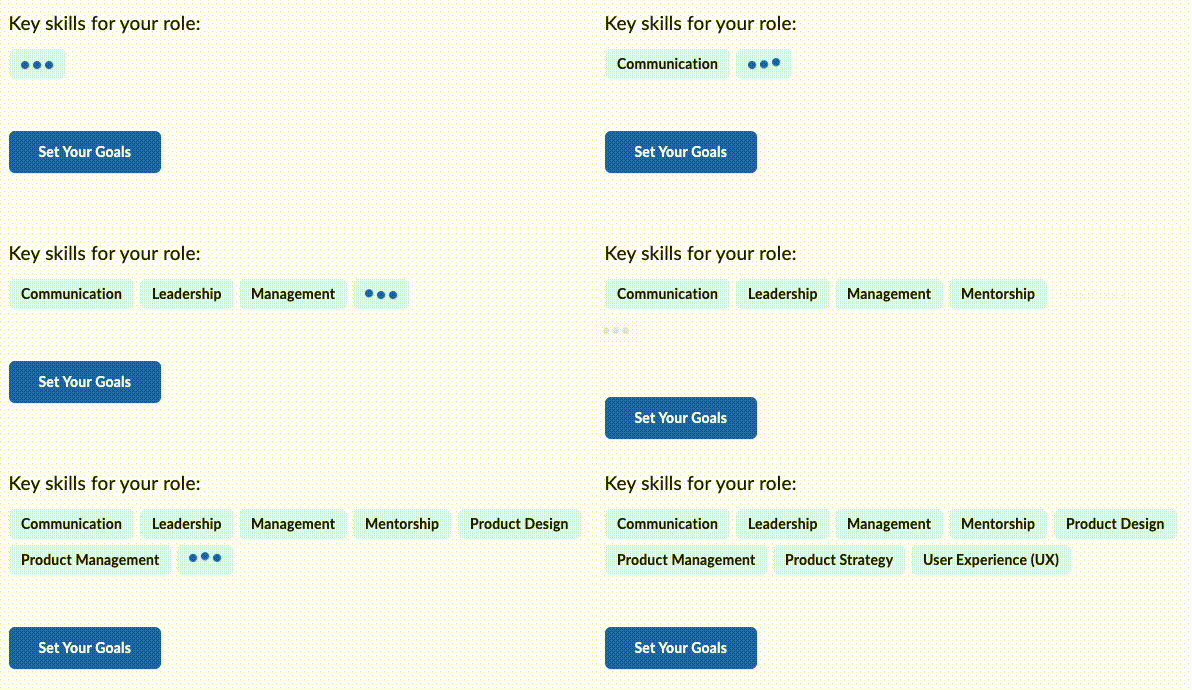
As soon as the user arrives, a “skill popper” begins revealing skills related to their role.
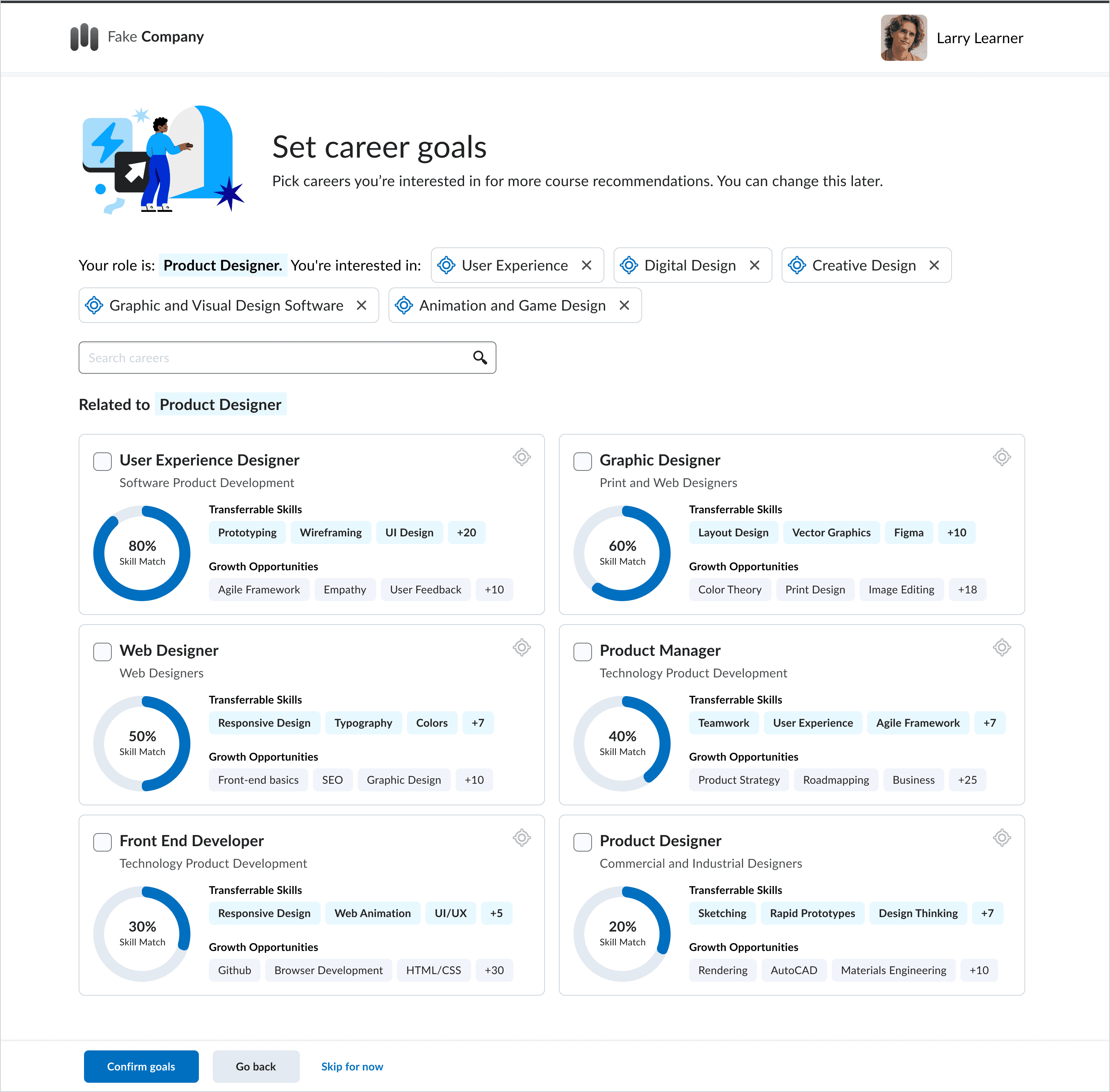
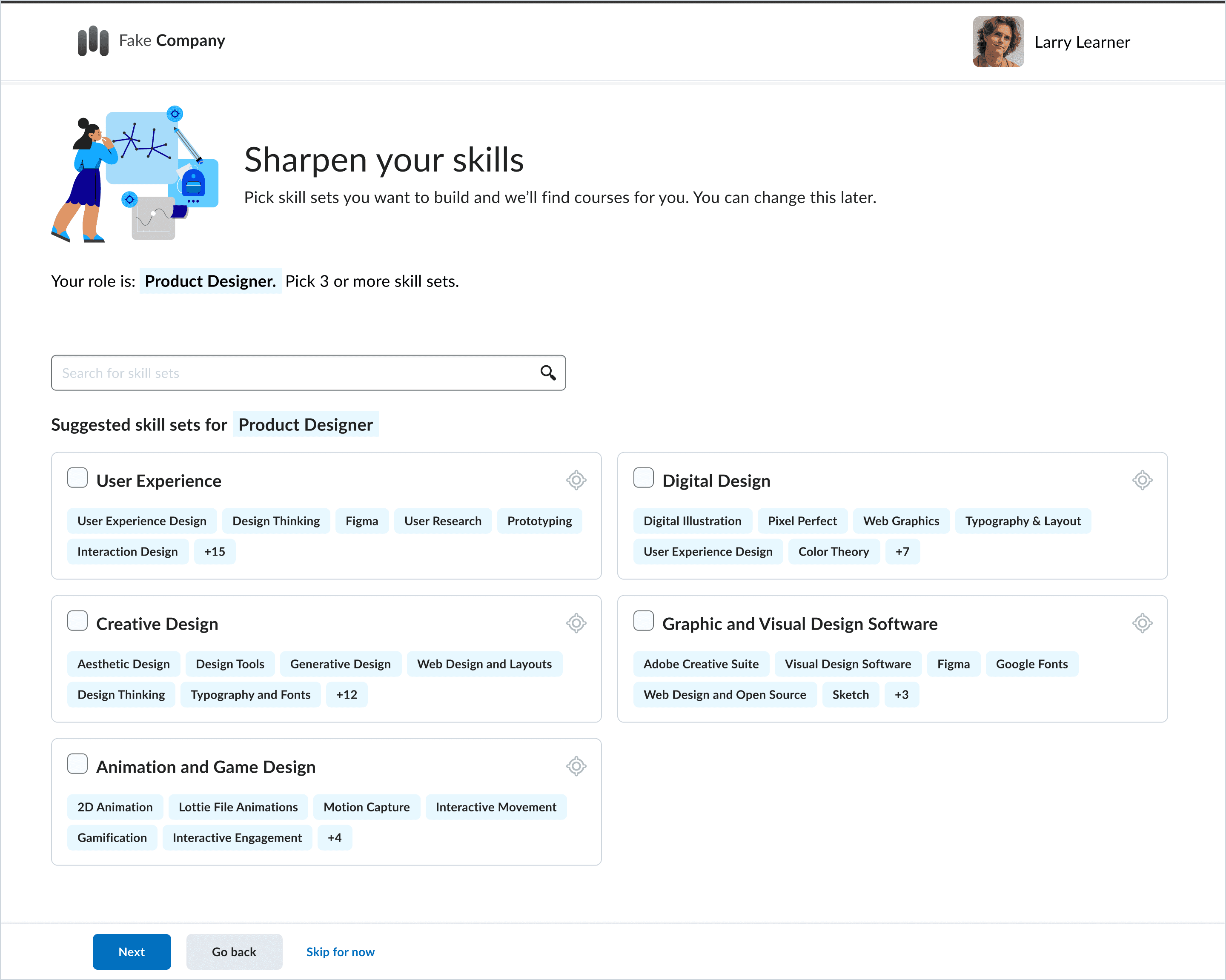
Sharpen your skills (left): This page groups skills using Lightcast’s sub-categories and presents them as scannable boxes, allowing users to select broader areas of focus with one click instead of picking through individual skills.
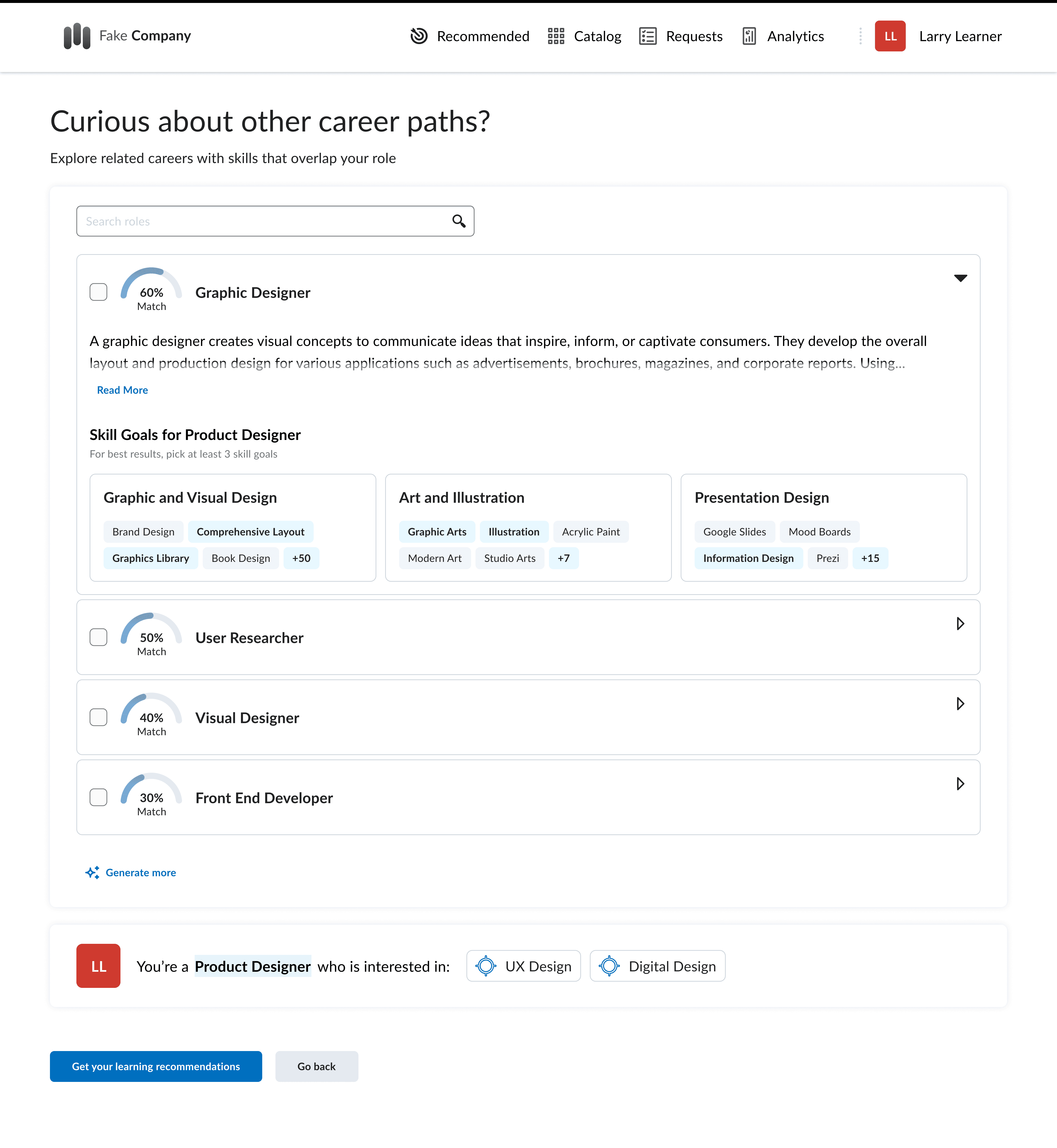
Set career goals (right): While careers are also powered by related skills on the back end, they are presented differently because they carry a different meaning for users. The focus is on adjacent career paths, with skill overlap, transferable skills, and growth opportunities helping users understand how close they already are to a new role.
Sharpen your skills: This page groups skills using Lightcast’s sub-categories and presents them as scannable boxes, allowing users to select broader areas of focus with one click instead of picking through individual skills.
Set career goals: While careers are also powered by related skills on the back end, they are presented differently because they carry a different meaning for users. The focus is on adjacent career paths, with skill overlap, transferable skills, and growth opportunities helping users understand how close they already are to a new role.
Sharpen your skills: This page groups skills using Lightcast’s sub-categories and presents them as scannable boxes, allowing users to select broader areas of focus with one click instead of picking through individual skills.
Set career goals: While careers are also powered by related skills on the back end, they are presented differently because they carry a different meaning for users. The focus is on adjacent career paths, with skill overlap, transferable skills, and growth opportunities helping users understand how close they already are to a new role.
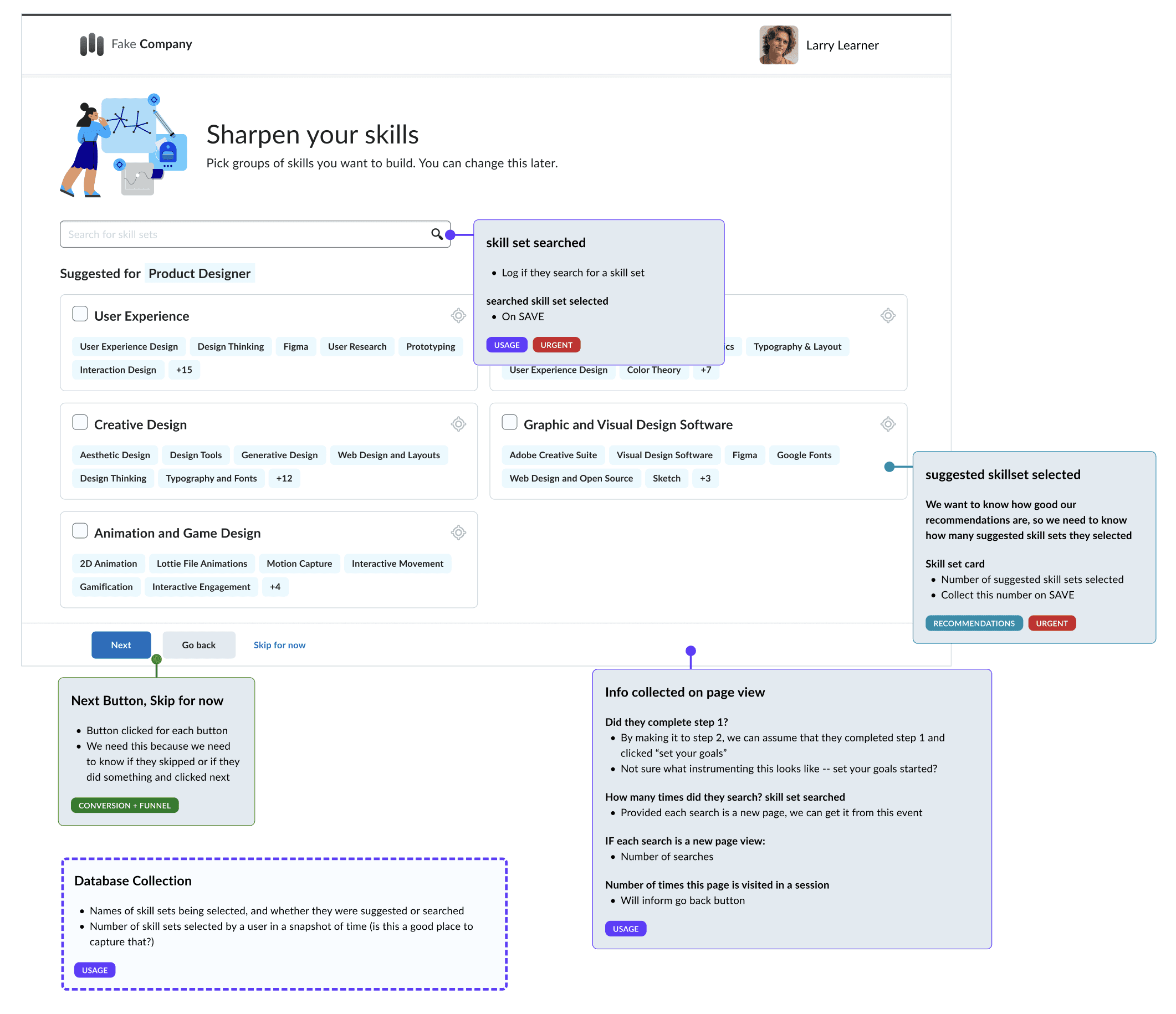
The Figma Amplitude event specifications. I used these boxes to indicate what I wanted to track throughout the SkillsWave Guide workflow.
The Figma Amplitude event specifications. I used these boxes to indicate what I wanted to track throughout the SkillsWave Guide workflow.
This onboarding ended with the recommended page designed by my colleague. After onboarding was complete, the platform would take all the selected skills a user was interested in as well as their role skills and generate a recommendations page full of courses that were tagged with those skills.
This onboarding ended with the recommended page designed by my colleague. After onboarding was complete, the platform would take all the selected skills a user was interested in as well as their role skills and generate a recommendations page full of courses that were tagged with those skills.
The Result: The onboarding workflow was ready for implementation. I worked with the development team over several months (which included a company spin out in the middle) and we released SkillsWave Guide in September, 2024.
The Result: The onboarding workflow was ready for implementation. I worked with the development team over several months (which included a company spin out in the middle) and we released SkillsWave Guide in September, 2024.
Monitor: SkillsWave Guide inspires improved search and skill tagging
Monitor: SkillsWave Guide inspires improved search and skill tagging
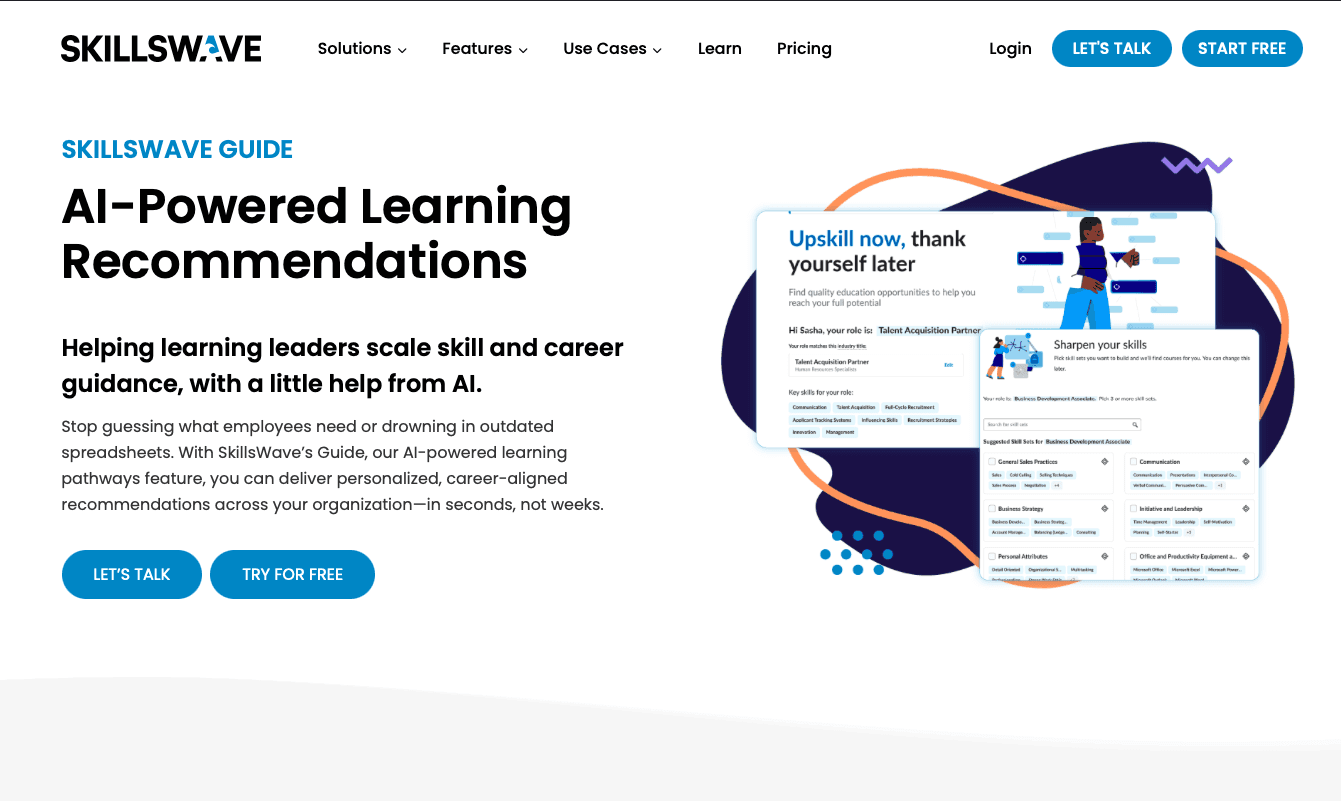
Almost every existing client has turned on SkillsWave Guide and it is a key part of SkillsWave's upskilling sales story. In a market dominated by skills-focused learning, SkillsWave Guide unblocked SkillsWave from competing in market. Skills are now a visible, interactive, and intentional part of SkillsWave's product experience.
Launch also revealed important gaps that had been less visible before. Fixes that we made post-SkillsWave Guide include:
Improved course and program skill tagging so recommendations are more relevant.
Improved search in the catalog for users who want to see everything we have to offer.
Future opportunities for narrower and manager-led recommendations
Overall, this project helped give SkillsWave a more credible voice in the skills space. It strengthened our product story, made our differentiation more tangible, and exposed foundational gaps we would not have understood as clearly otherwise.
Almost every existing client has turned on SkillsWave Guide and it is a key part of SkillsWave's upskilling sales story. In a market dominated by skills-focused learning, SkillsWave Guide unblocked SkillsWave from competing in market. Skills are now a visible, interactive, and intentional part of SkillsWave's product experience.
Launch also revealed important gaps that had been less visible before. Fixes that we made post-SkillsWave Guide include:
Improved course and program skill tagging so recommendations are more relevant.
Improved search in the catalog for users who want to see everything we have to offer.
Future opportunities for narrower and manager-led recommendations
Overall, this project helped give SkillsWave a more credible voice in the skills space. It strengthened our product story, made our differentiation more tangible, and exposed foundational gaps we would not have understood as clearly otherwise. While it is not a flashy “we doubled revenue” case study, SkillsWave Guide became a catalyst for the next round of product improvements while still helping the product grow.
Almost every existing client has turned on SkillsWave Guide and it is a key part of SkillsWave's upskilling sales story. In a market dominated by skills-focused learning, SkillsWave Guide unblocked SkillsWave from competing in market. Skills are now a visible, interactive, and intentional part of SkillsWave's product experience.
Launch also revealed important gaps that had been less visible before. Fixes that we made post-SkillsWave Guide include:
Improved course and program skill tagging so recommendations are more relevant.
Improved search in the catalog for users who want to see everything we have to offer.
Future opportunities for narrower and manager-led recommendations
Overall, this project helped give SkillsWave a more credible voice in the skills space. It strengthened our product story, made our differentiation more tangible, and exposed foundational gaps we would not have understood as clearly otherwise. While it is not a flashy “we doubled revenue” case study, SkillsWave Guide became a catalyst for the next round of product improvements while still helping the product grow.